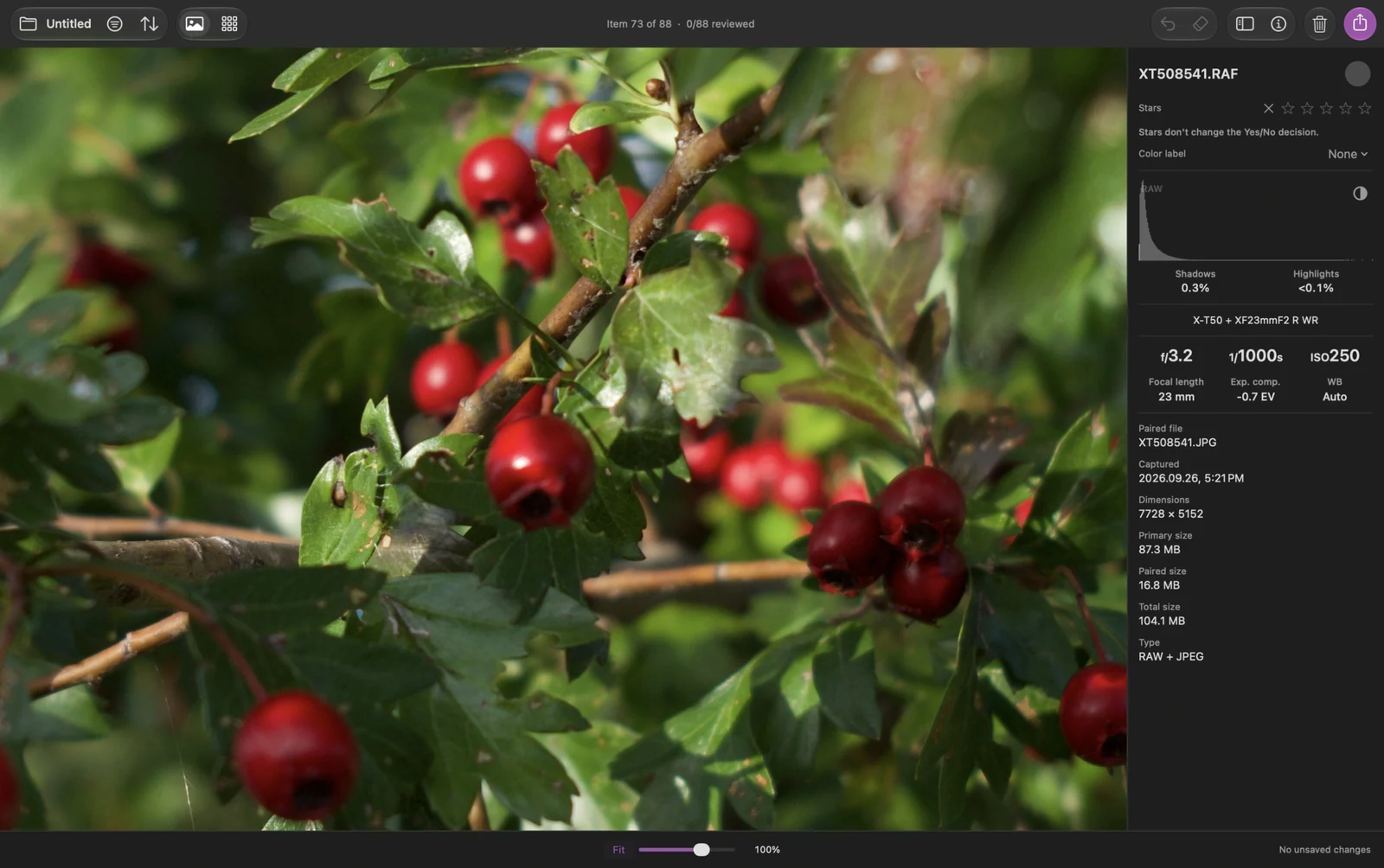
A RAW photo can look like your camera's JPEG at Fit, then change in color, contrast, or detail when you zoom in. In Louppe's Fast display mode, that can happen because the app changes from a preview to a RAW rendering at 100%
That transition alone doesn't mean the original file changed. I keep the two questions separate: which rendering am I seeing, and what am I trying to judge?
A camera preview and a RAW rendering can differ
Many camera RAW files include a processed preview. It can reflect the camera's color choices, contrast, and sharpening. Rendering the RAW data with another processor can produce a different appearance
Adobe explains the same distinction in Lightroom Classic: an embedded camera preview can differ from the rendering Lightroom generates
If you like the finished appearance of a camera JPEG, review that JPEG directly. A RAW processor doesn't have to reproduce the camera's look
What changes at 100% in Louppe?
In Louppe 1.12, Fast uses previews below 100% and Apple RAW rendering at 100% and above. Grid and Browser keep fast previews
With the default keys, S toggles true 100% in Gallery. If the image changes as you cross that threshold, check Settings → RAW display. You can choose RAW rendering at all zoom levels to keep Gallery on a consistent rendering source
Louppe is my free, open-source photo viewer and sorter for Apple silicon Macs running macOS 14 or later. Camera support depends on the RAW file and the available decoder
The histogram label answers a different question
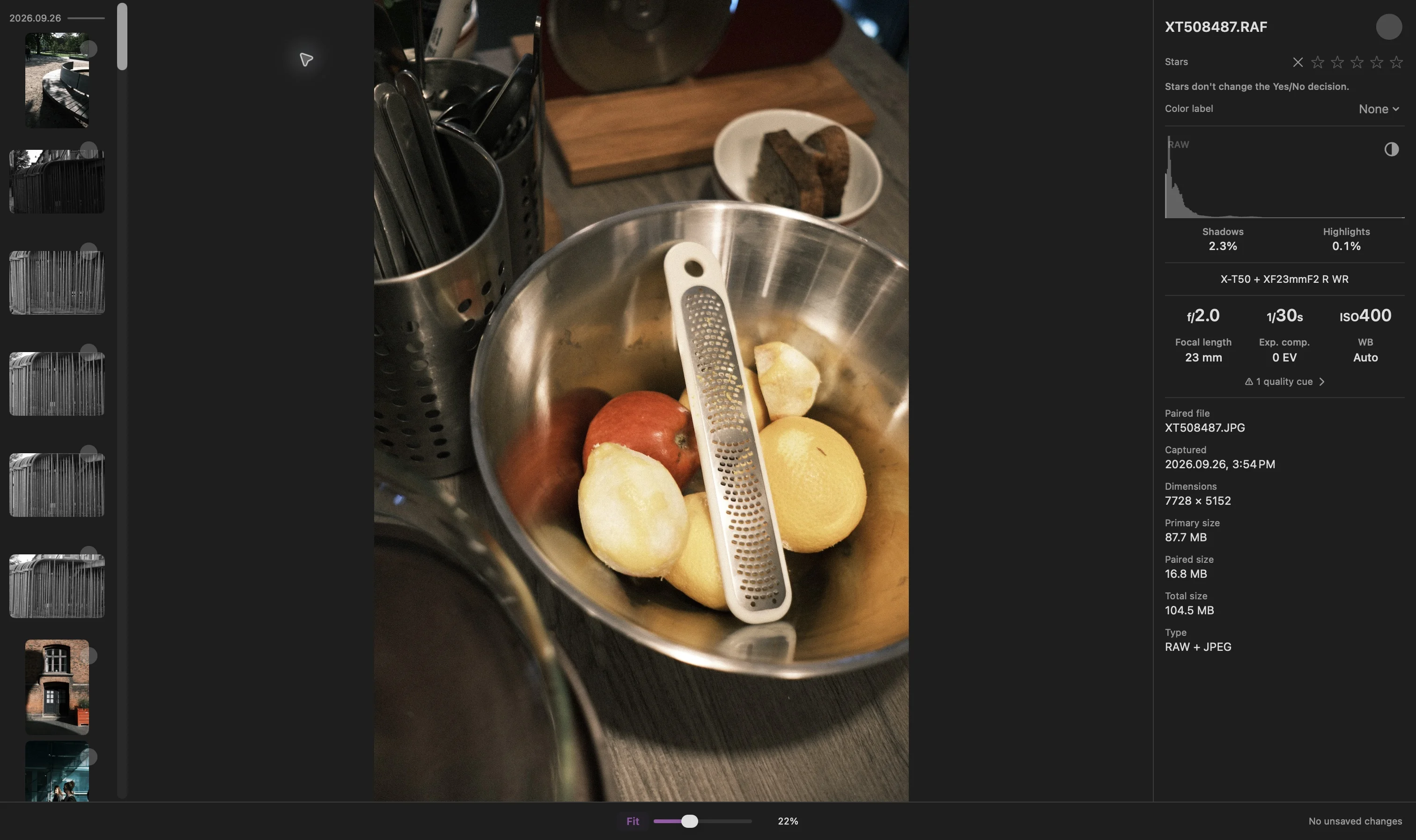
RAW + JPEG inspection captured in Louppe 1.9. The histogram's RAW label identifies the analysis source; it doesn't identify the displayed photo rendering
For a RAW file, the histogram can change from Preview to RAW after a separate analysis finishes. This happens independently of the photo's rendering. The X clipping overlay measures the displayed rendering
Use the histogram and the image for their respective jobs. A RAW histogram label doesn't establish that the large photo is already an Apple RAW rendering
Decide what you need to compare
- Composition and expression: review the whole frame at Fit
- Focus and fine detail: inspect the relevant area at 100%, after rendering finishes
- The camera's finished color: open the camera JPEG, if you recorded one
- Your eventual edit: check the RAW in the editor and profile you intend to use
When comparing two apps, use the same physical file, a comparable zoom, and known rendering settings. A preview in one app and a developed RAW in another answer different questions
If the RAW won't render
Wait for loading to finish and read the error before rejecting the photograph. Use Preview is an explicit fallback after a RAW loading failure
The optional RAW 9 decoder requires macOS 27, a supported file, and Apple's model resources, and uses more time and memory. If it fails, Louppe offers Retry or Use Apple Default. It doesn't silently change decoders
Changing a display preference doesn't develop or rewrite your original. For a shoot containing both formats, the RAW + JPEG guide explains how to review them together or separately